Call to dispatched,
in seconds.

Cabree 360 is the live operations hub for dispatchers, CSRs and fleet admins. Take the caller, price the trip and allocate the job without leaving the map, on desktop, tablet or the web. It's the dispatch system and the company portal on one pane of glass.

Take the tour
  • Calls ring in the app
  • Live queues and chat
  • Company Code sign in
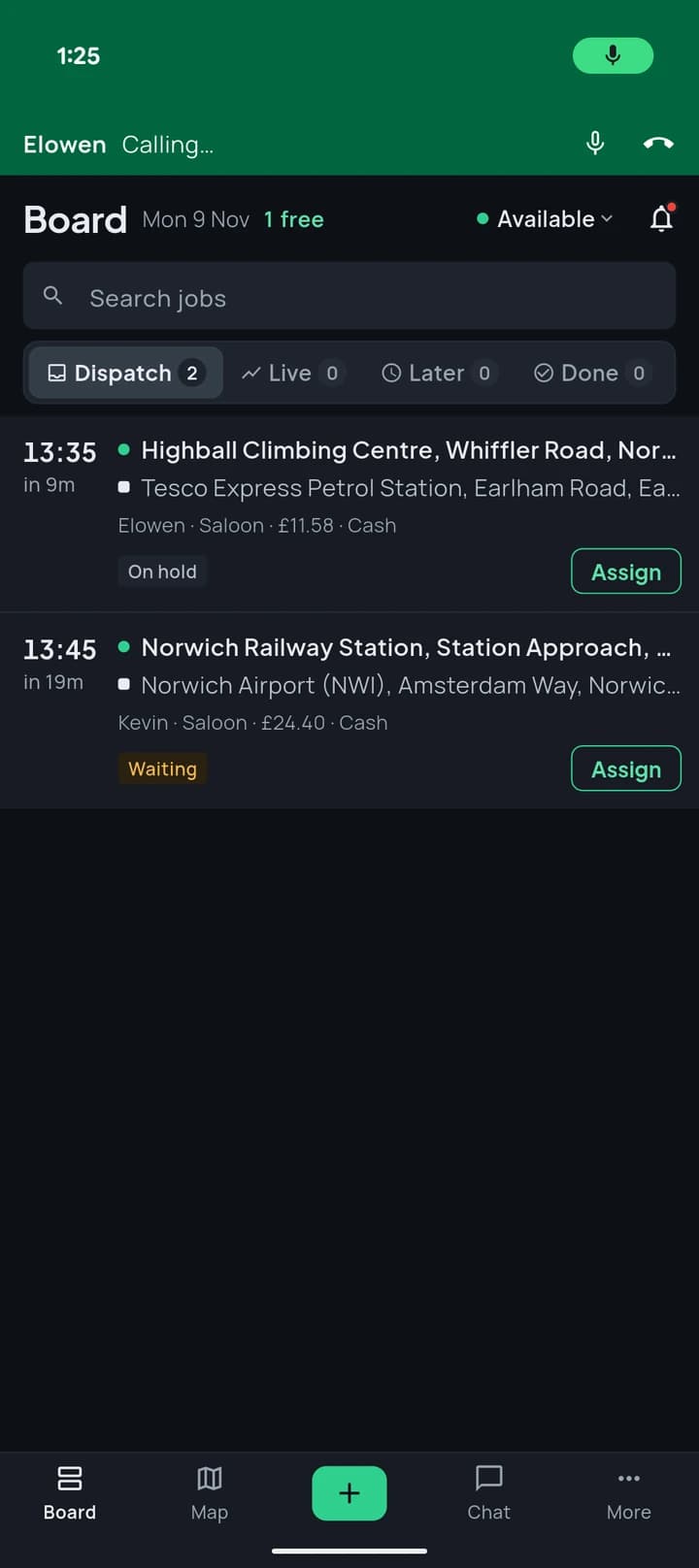
An incoming call in Cabree 360
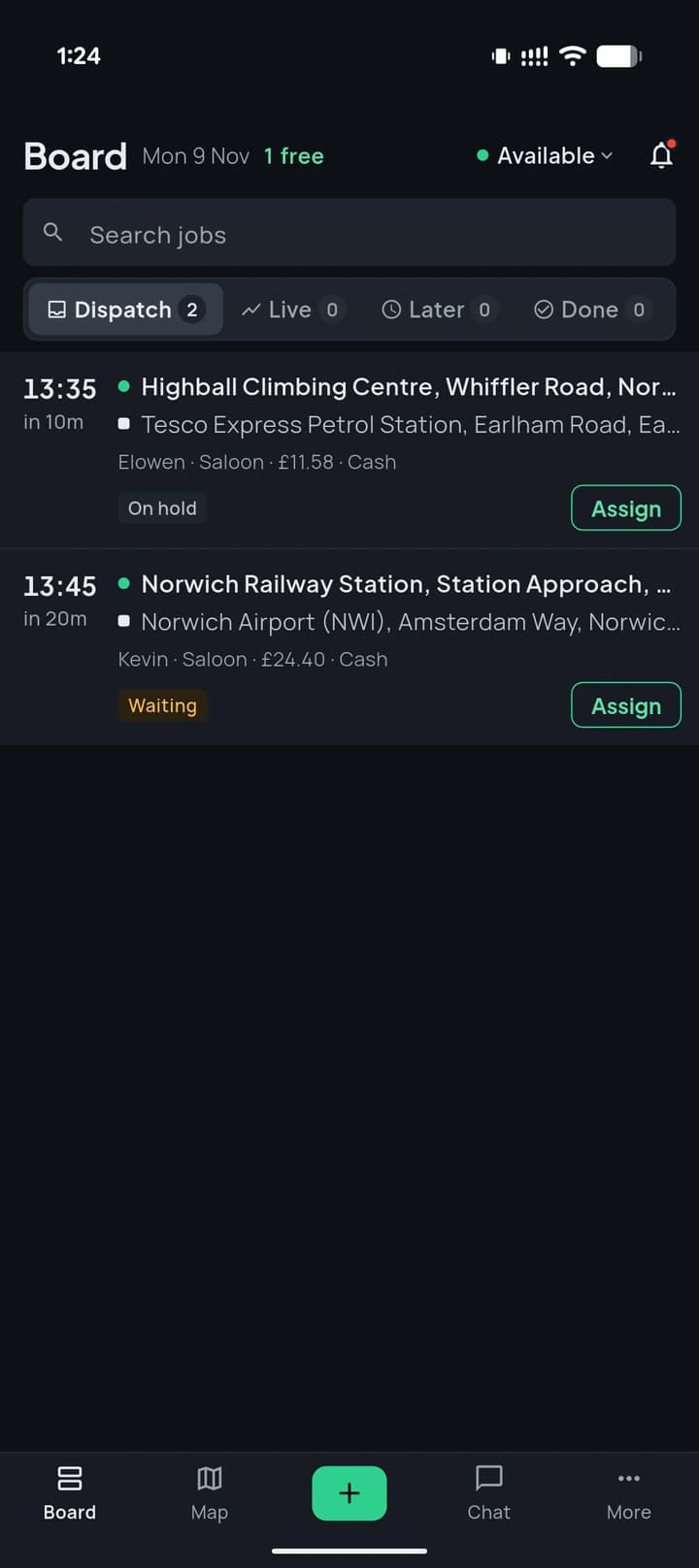
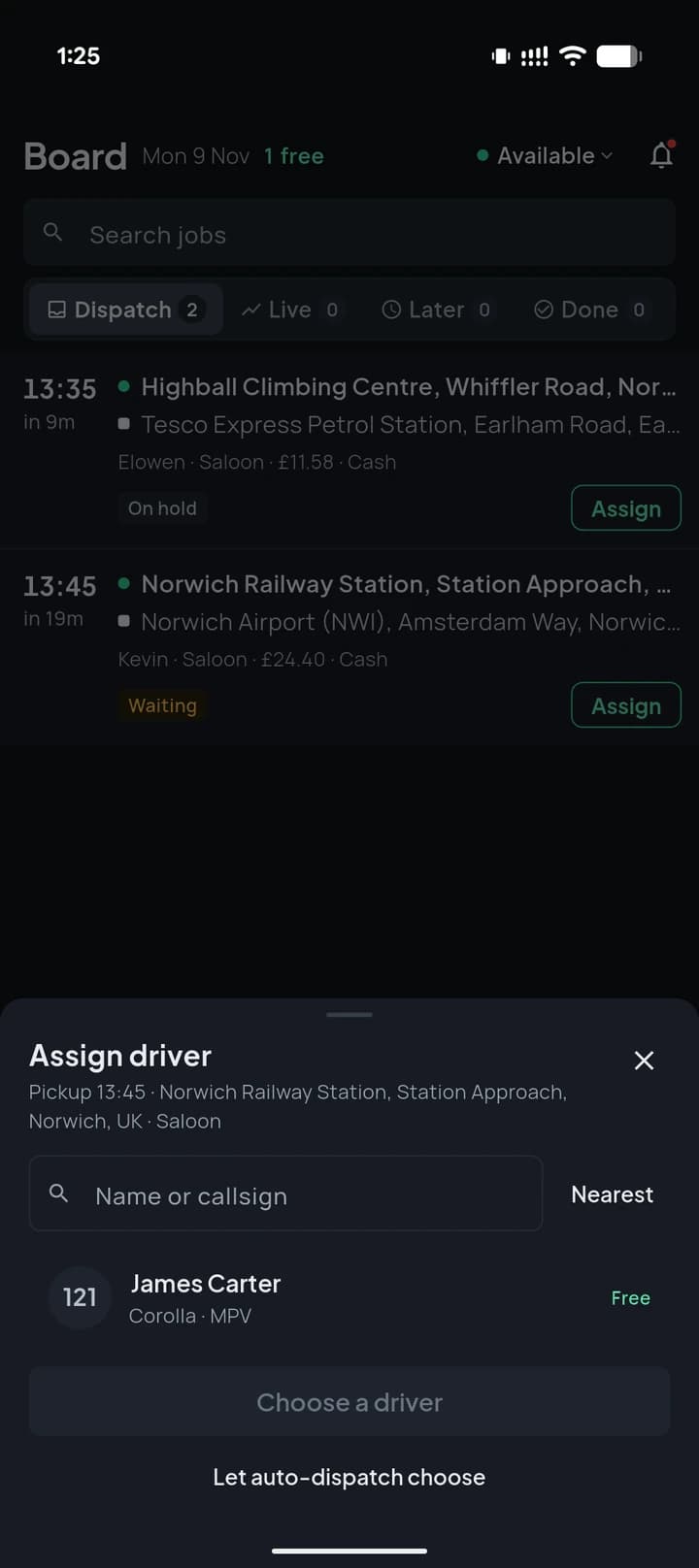
The Cabree 360 board: jobs to dispatch with their routes, fares and Assign buttons
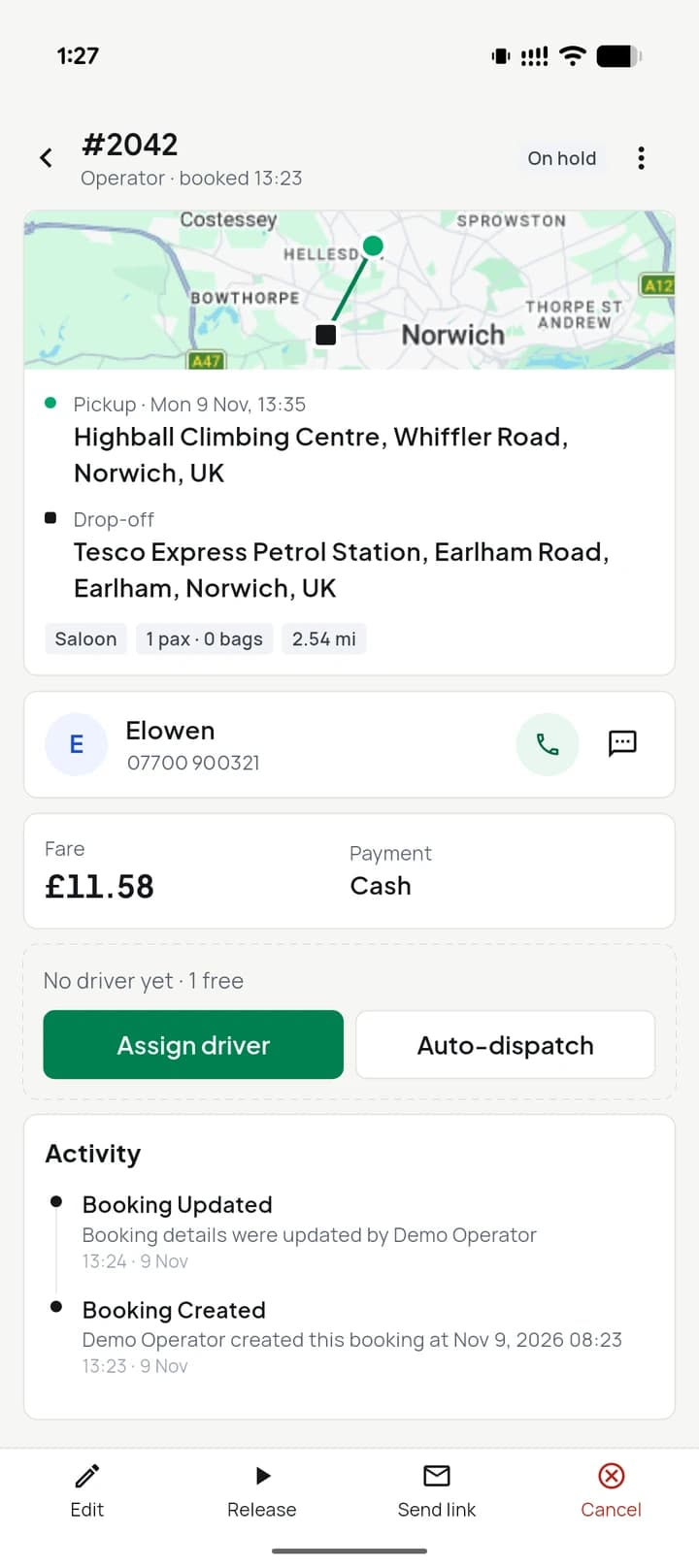
A booking opened in Cabree 360 with its route on the map

Every queue,
one tap deep.

Dispatch, En Route, Queued, Prebooked, Completed and Cancelled each carry a live count. Expand a job in place for pax, vehicle, driver and the full route. Nothing ever covers the map.

  • Live counts on every queue
  • Pickup time, route, fare and payment on each job
  • Assign straight from the list
An incoming call showing over the Cabree 360 board while jobs wait to be assigned
The Cabree 360 board with jobs to dispatch, their routes, fares and Assign buttons

Fleet density,
balanced by zone.

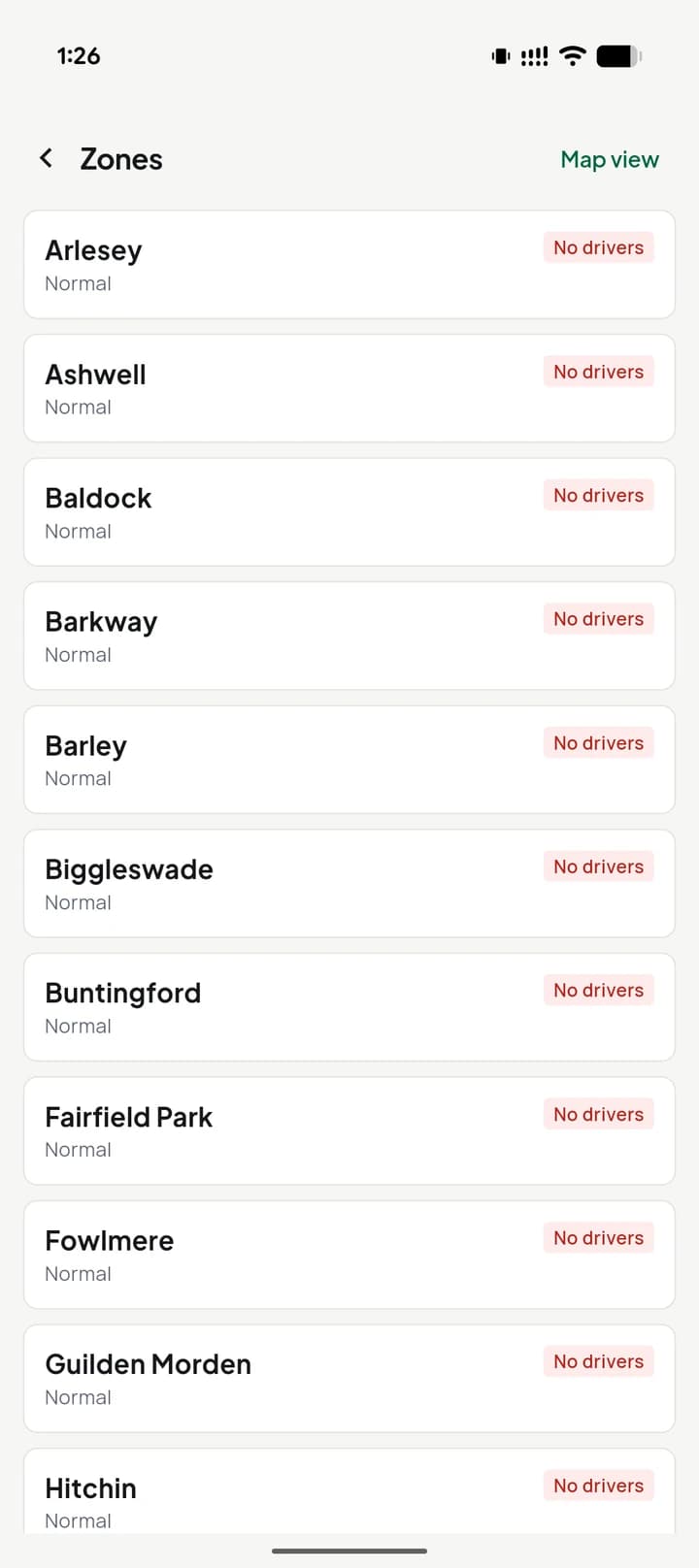
A kanban style board shows where the fleet actually is. Each zone holds its drivers in first in, first out order with their waiting time, and system columns surface anyone on a break or out of bounds.

  • Every zone with the drivers waiting in it
  • Switch to the map view in one tap
  • Breaks and out of bounds drivers kept apart
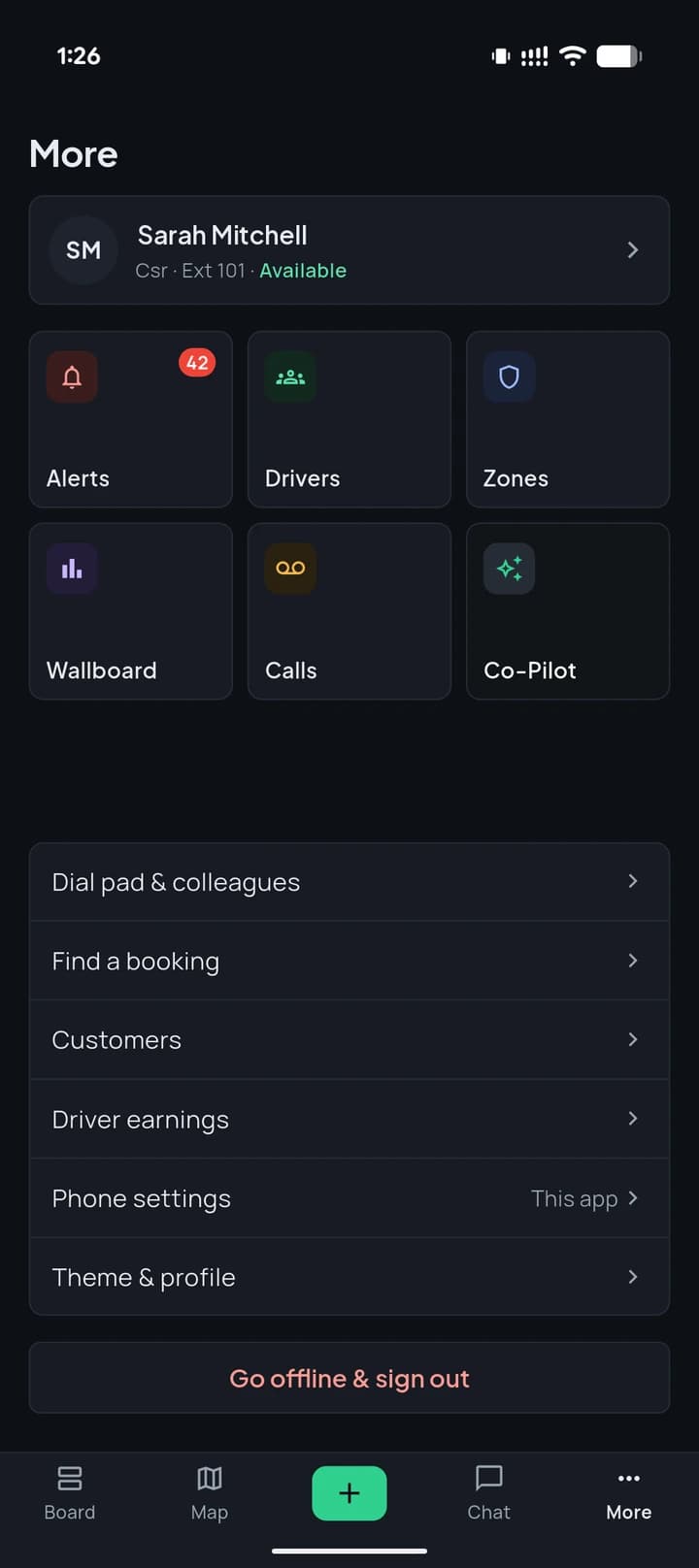
The Cabree 360 menu: alerts, drivers, zones, wallboard, calls and Co-Pilot
Zones in Cabree 360 with the drivers in each

Every driver,
one card away.

Online, on job and on break counts sit above the roster. Expand any driver for their call sign, phone, licence and vehicle. They are the same records your company portal runs on.

  • Choose a driver by name or call sign
  • Nearest drivers first, or let auto-dispatch choose
  • Each driver’s jobs, miles and earnings
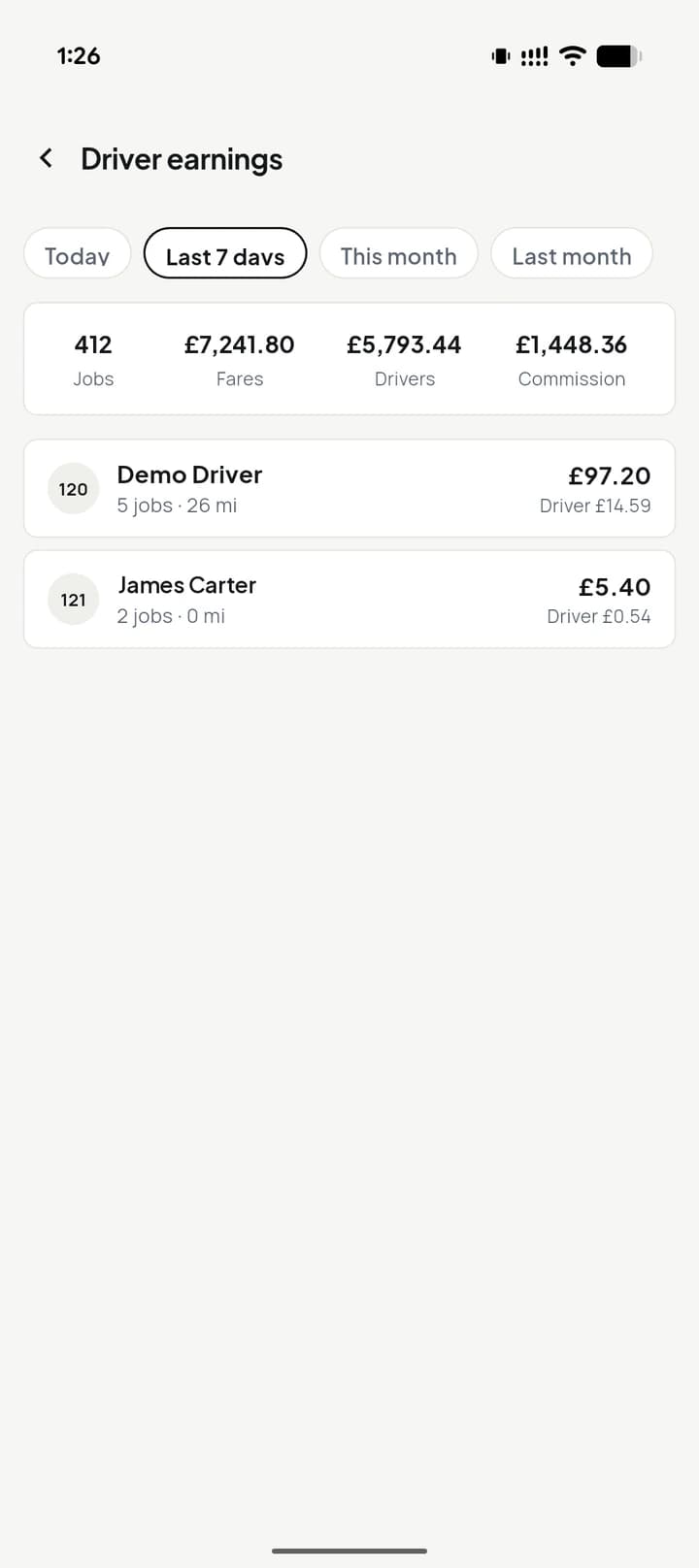
Driver earnings in Cabree 360: 412 jobs, £7,241.80 in fares, driver pay and commission
Assigning a driver to a job in Cabree 360, with the nearest free driver listed

The whole team,
one message away.

Live chat lives inside the dashboard. Message a driver directly, run internal staff channels, or broadcast to everyone, all without leaving the map or reaching for the driver app.

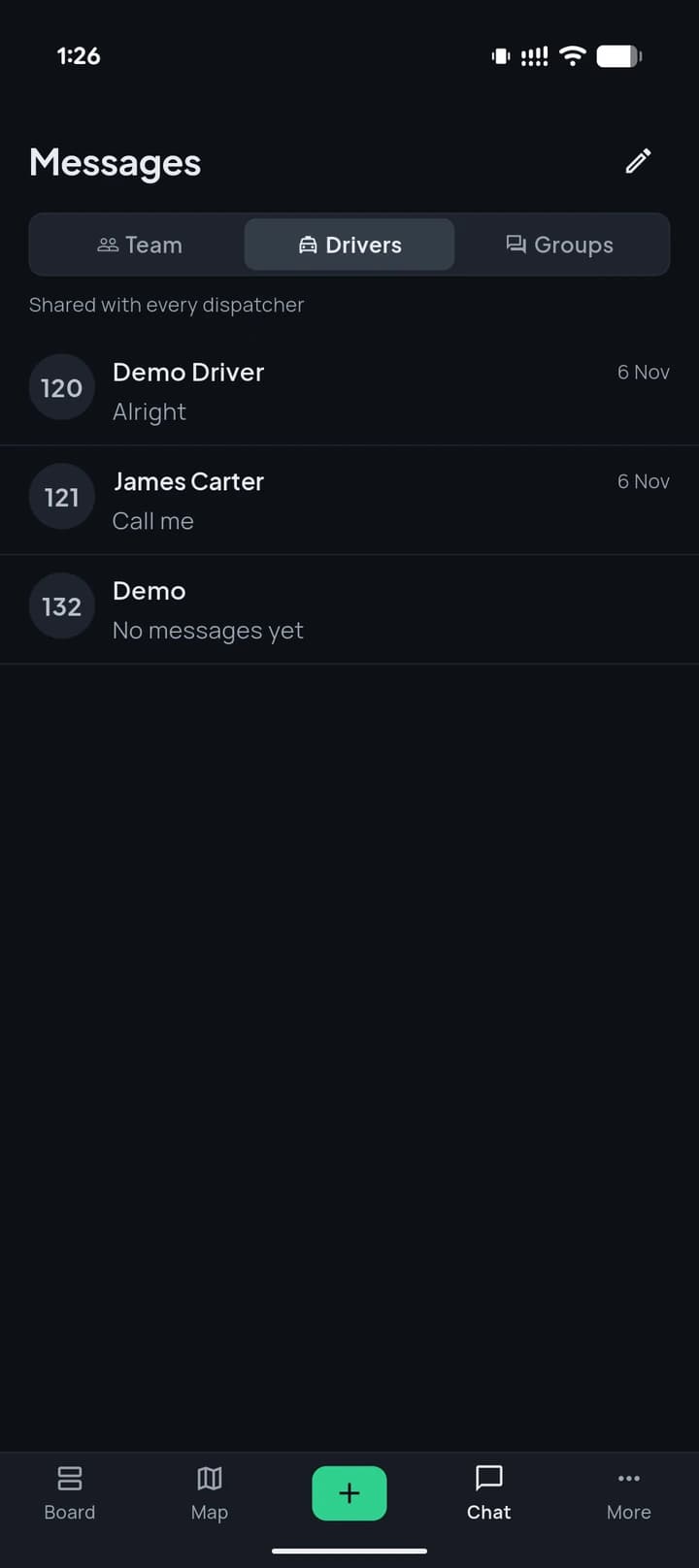
  • One to one chat with any driver
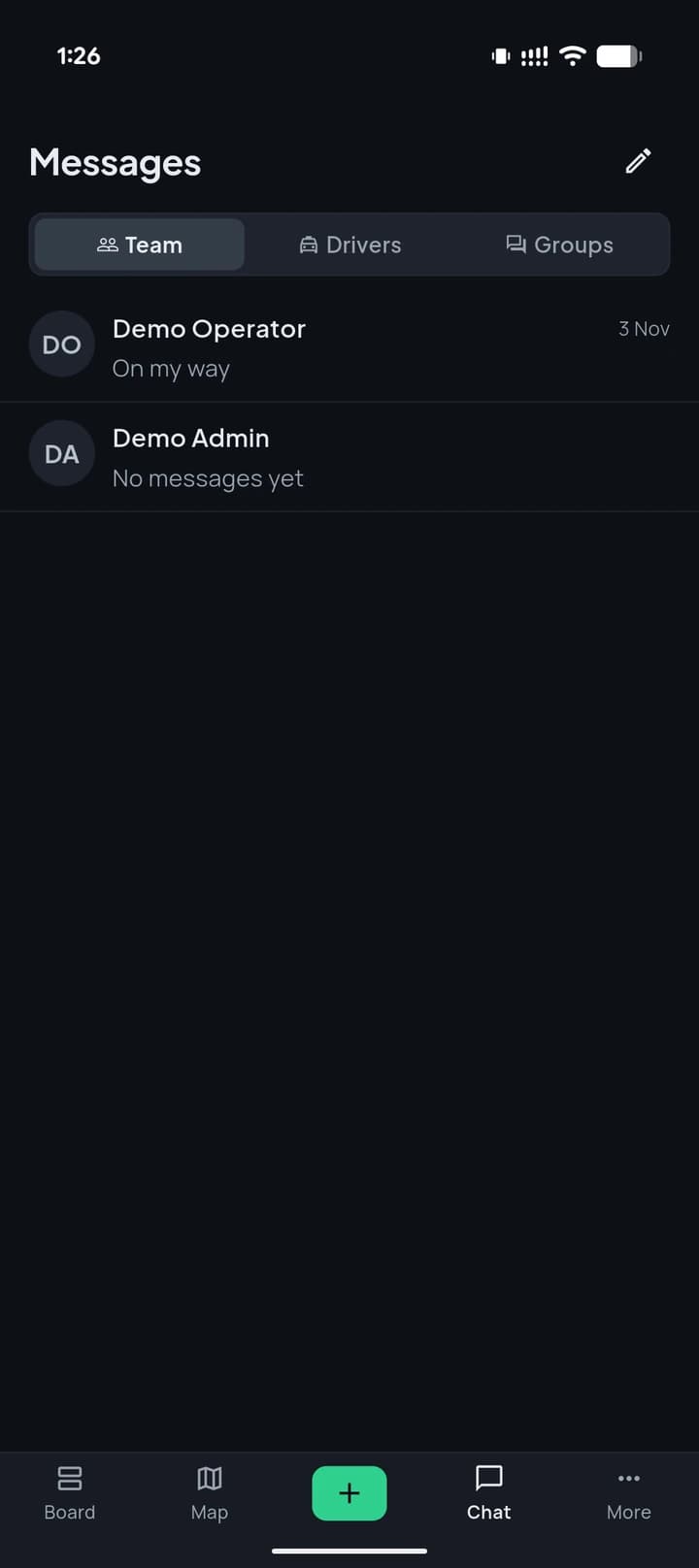
  • Team chat for dispatchers and CSRs
  • Groups for fleet wide updates
Team messages in Cabree 360
Driver messages in Cabree 360

Every booking,
on the record.

Search the whole booking history and filter it by status in one place. Times, fares and outcomes for every job, completed or cancelled, ready the moment a customer rings to query one.

  • The route on a map with fare and payment
  • Every change in the booking’s activity log
  • Edit, release, send a link or cancel
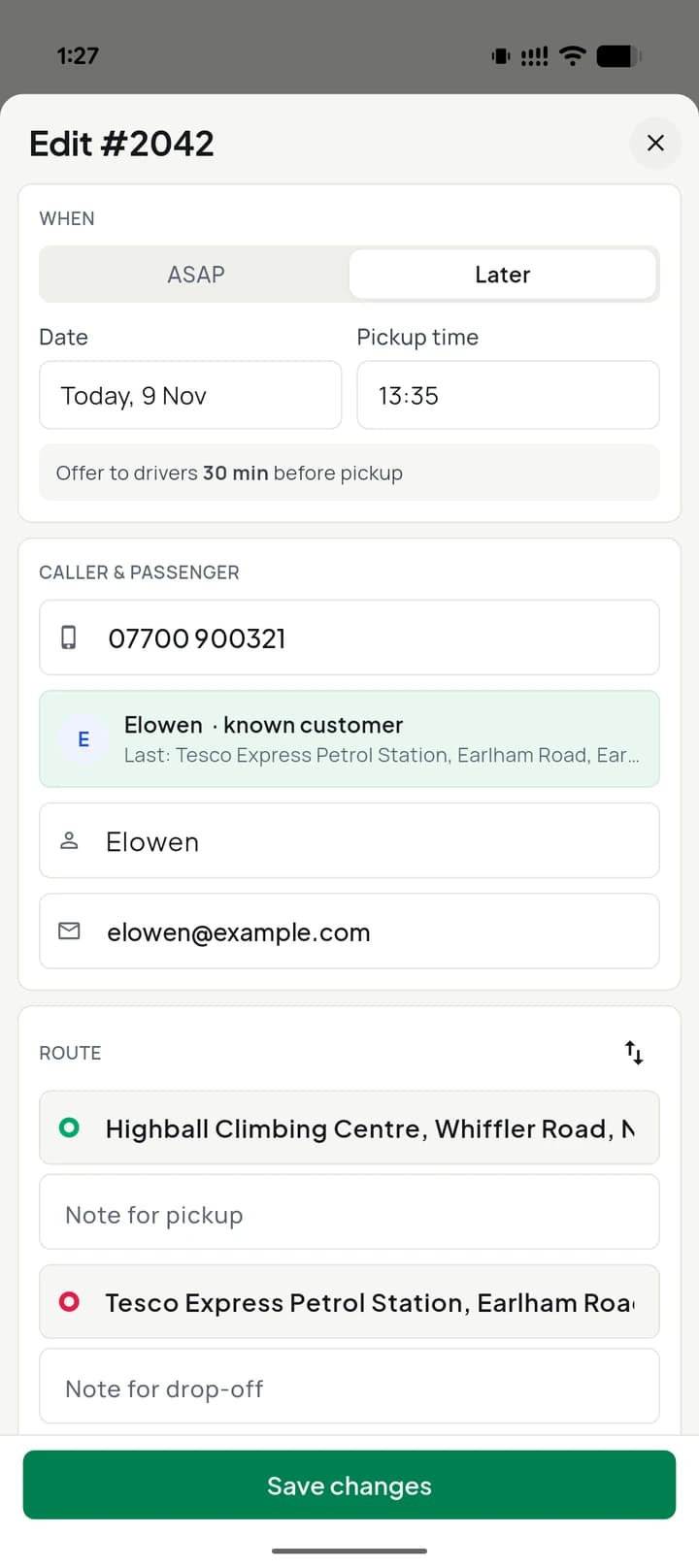
Editing a booking in Cabree 360: time, caller, passenger and route
A booking in Cabree 360 with its route, passenger, fare, Assign driver and activity
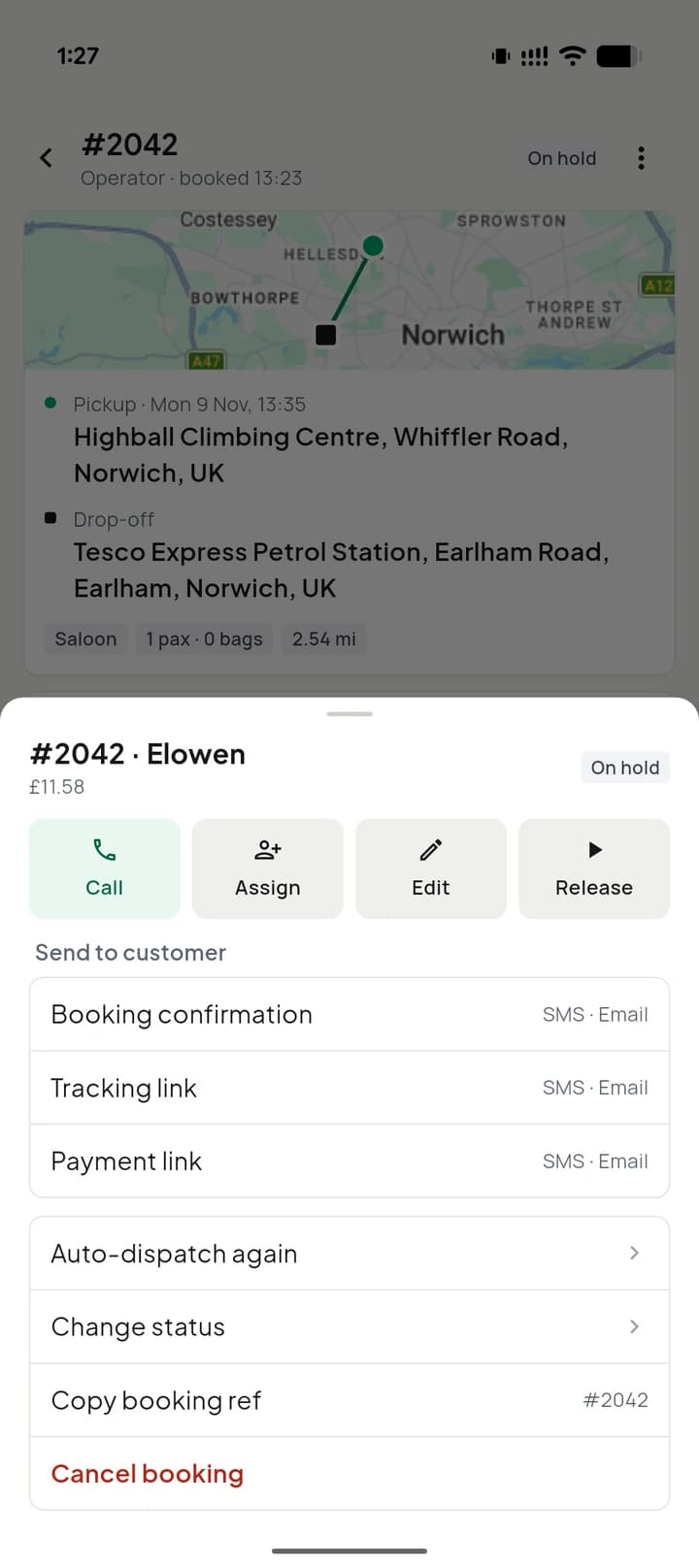
  • The booking actions sheet in Cabree 360

    Every action in one sheet

    Call, assign, edit or release, and send the customer a confirmation, tracking or payment link by SMS.
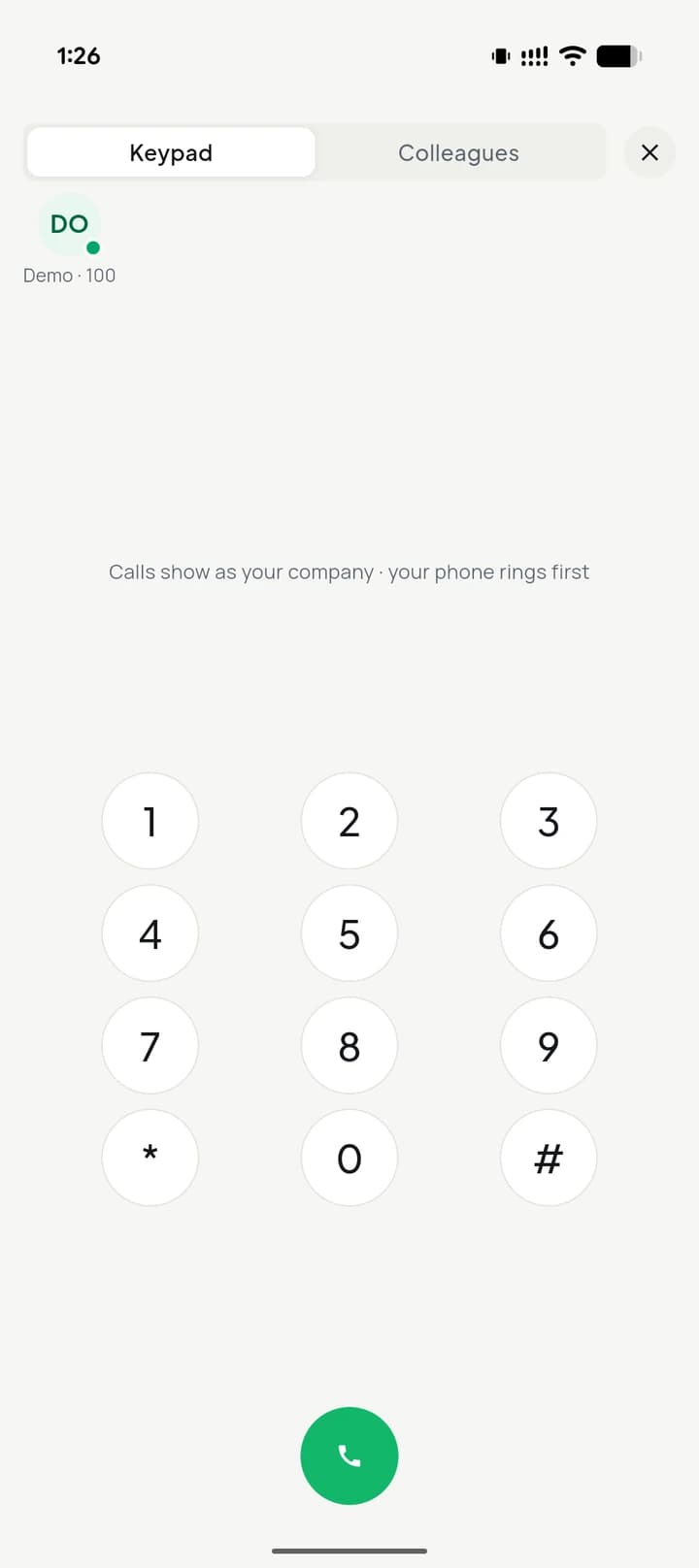
  • The Cabree 360 dial pad

    A phone in the app

    Calls ring in the app or on a desk phone, and the dial pad shows your company number.
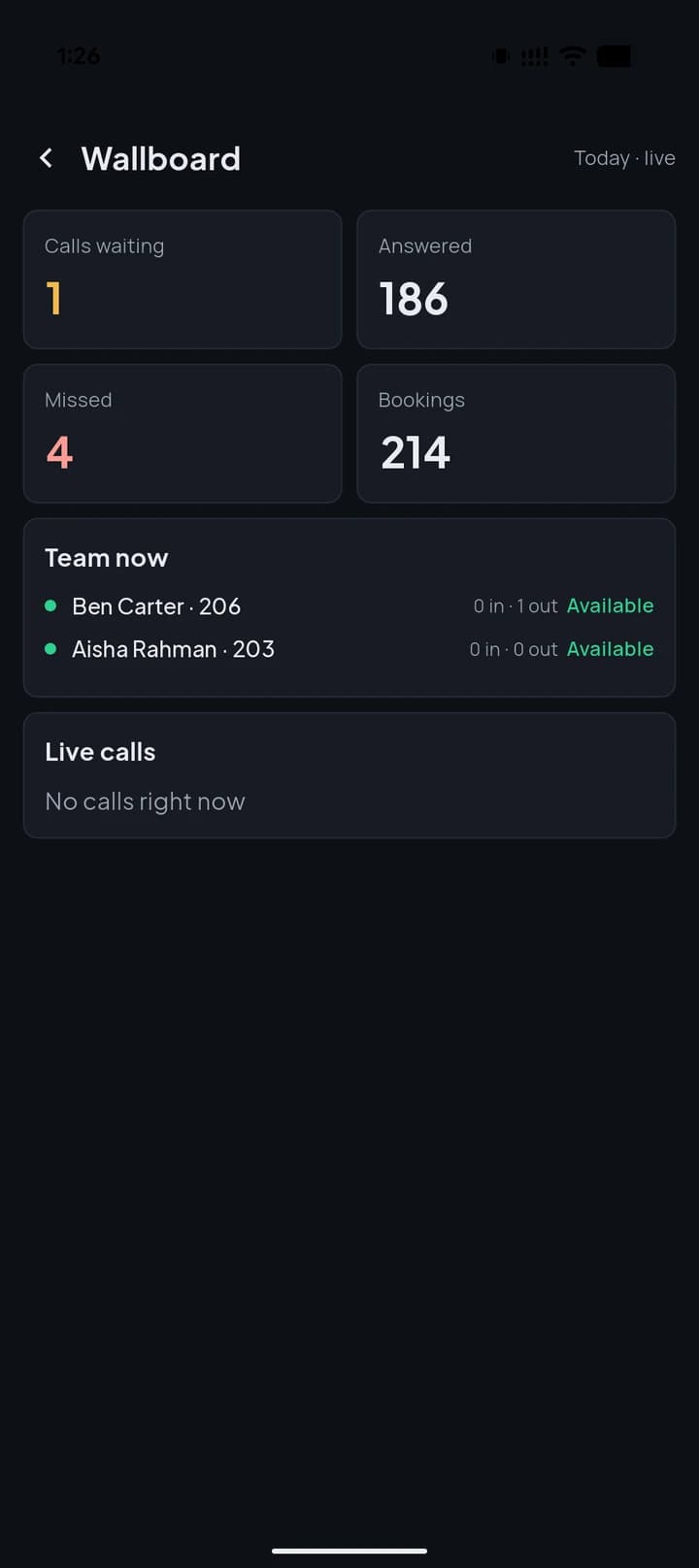
  • The Cabree 360 wallboard: 186 answered, 4 missed, 214 bookings and the team now

    The wallboard, pocket sized

    Calls waiting, answered and missed, bookings today, and who on the team is free.

Designed for a screen
you stare at all shift.

  • Live map, four ways

    Drivers, jobs and full routes in real time. Street, Satellite, Light or Dark, switched to suit a night shift.

  • Accordions, not popups

    Soft UI cards unfold in place to reveal the detail, so a quick check never buries the screen you were working on.

  • Status you read at a glance

    Bold, colour coded pills for Pending, On Hold, En Route, Completed and Cancelled. Legible from across the room.
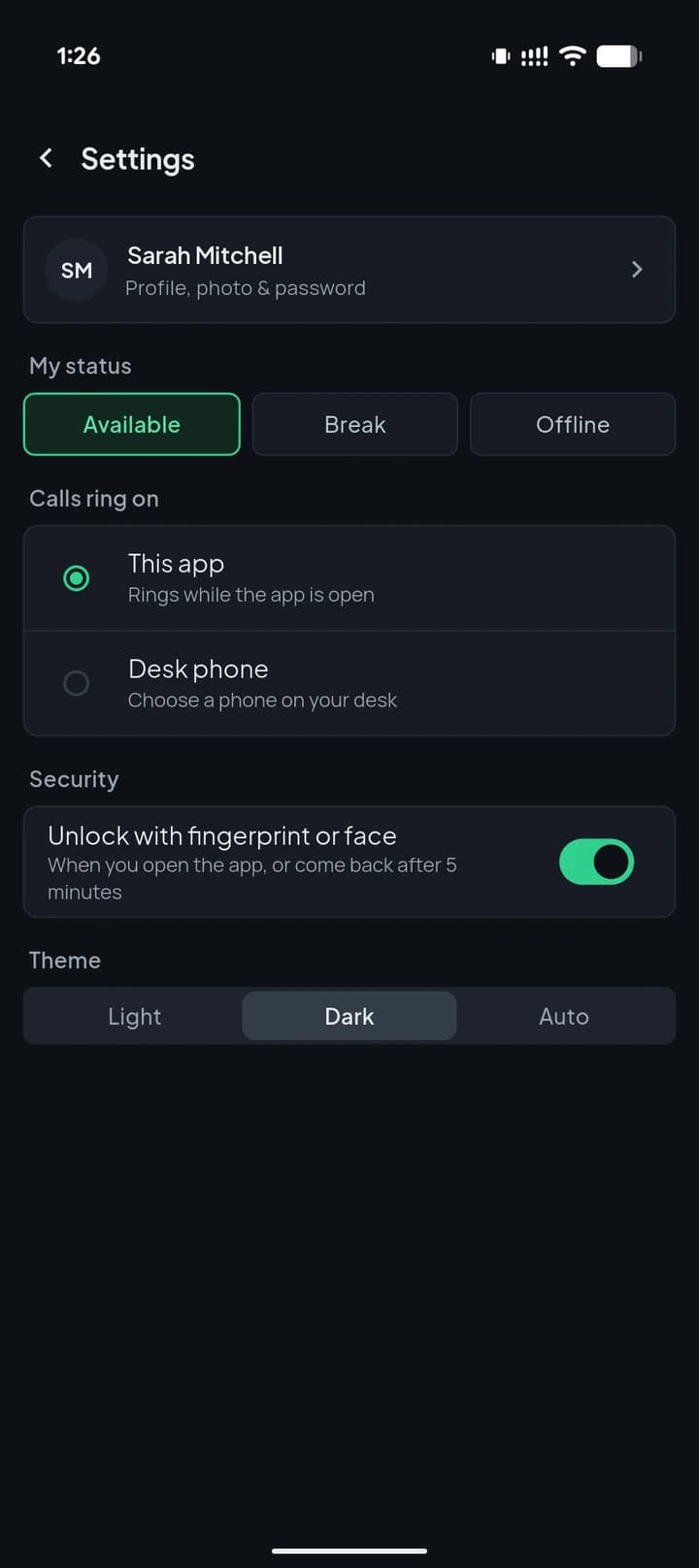
Cabree 360 settings: status, where calls ring, fingerprint unlock and light, dark or auto theme

Two phase access,
scoped to your company.

  • Two phase authentication

    Signing in takes your organisation's Company Code alongside standard credentials. Credentials alone open nothing.

  • Tenant isolation

    That code binds the session to your own Cabree tenant, so your jobs, drivers and customers never mix with another operator's.

  • Role scoped workspaces

    Admins, dispatchers and CSRs each land in a hub scoped to exactly what their role is authorised to see and do.

See the whole floor,
from one screen.

  • Desktop, tablet and web
  • Live maps, queues and chat
  • Two phase, tenant scoped access

Frequently asked questions

Have questions? We're here to help.

Still have a question about your fleet?

Talk to the team
What is Cabree 360?

Cabree 360 is the live fleet operations hub for the Cabree platform. It brings live driver and job mapping, zone distribution, booking, dispatch and driver queues and team messaging into a single workspace built for dispatchers, customer service representatives and fleet administrators.

How is Cabree 360 different from the Company Portal and MyCabree?

The Company Portal is the back office web dashboard for running the business: pricing, payroll, reporting and accounts. Cabree 360 is the live operations floor, where jobs are booked, allocated and watched in real time. MyCabree puts the portal itself on a phone. Most operators run Cabree 360 on the dispatch desk and MyCabree in their pocket.

What devices does Cabree 360 run on?

Cabree 360 runs on desktop, tablet and the web. The layout is responsive throughout, so the same hub works on a dispatch desk with several monitors, on a tablet on the move, and in a browser from anywhere.

Can I see where every driver is in real time?

Yes. The live map pinpoints every driver and every unassigned job as it happens, and draws pickup, drop off and multiple stop waypoints as a route. You can switch between Street, Satellite, Light and Dark map styles to suit the lighting in your dispatch room.

How does zone distribution work?

Drivers waiting in each service zone appear on a horizontal, kanban style board in first in, first out order, with the time each has been waiting. Separate system columns show who is on a break and who is out of bounds, so you can rebalance the fleet across zones without clicking into anything.

How quickly can a dispatcher take a booking?

The booking sheet is designed to be filled while the caller is still on the phone: caller details, priority, pickup time and dispatch window, multiple stop routing, vehicle type, passengers, luggage, payment method and reference. Before you commit, dispatch insights show the estimated fare, distance, duration and nearby drivers, then it is one click to create and dispatch, or to save and hold.

Does the team chat work in real time?

Yes. Messaging is powered by WebSockets and built into the dashboard itself. It supports direct one to one driver chats, internal channels for staff and dispatchers, and broadcast announcements to everyone, so nobody has to leave the map to send a message.

How is access secured?

Cabree 360 uses a two phase sign in: standard credentials plus your organisation's Company Code. That code binds the session to your own Cabree tenant, keeping your data isolated from every other operator on the platform, and each role lands in a workspace scoped to what they are authorised to do, whether they are an admin, a dispatcher or a CSR.